Access your Arduino WiFi101 from the Web
Make your Arduino accessible from anywhere via the Yaler relay.
Prerequisites
Setting up your device requires a relay domain. Please sign up to get one.
Setting up the hardware
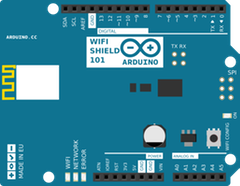
This tutorial works with any Arduino setup supporting the WiFi101 library, e.g. the Arduino Zero with the WiFi Shield 101.
Using another setup? See how to access your Arduino WiFi, the Arduino CC3000, the Arduino Ethernet or the Arduino Yún.
Installing the library
Follow these steps to add the YalerWiFi101Server library to your Arduino IDE.
- Download the library
YalerWiFi101Server.zip
- On Windows extract the ZIP to
C:\Users\USER_NAME\Documents\Arduino\Libraries\YalerWiFi101Server
On Mac OS X extract the ZIP to~/Documents/Arduino/libraries/YalerWiFi101Server
- Close and re-open your Arduino IDE.
Trying a quick example
- Open the Arduino IDE and select the menu
File > Examples > YalerWiFi101Server > YalerWebService (or YalerSSLWebService) - Replace RELAY_DOMAIN with your relay domain, e.g. for the relay domain gsiot-ffmq-ttd5 that would be
YalerWiFi101Server server("try.yaler.io", 80, "gsiot-ffmq-ttd5"); // Use port 443 for TLS - Upload the example code to your Arduino
- Done. Now, see how to access your device from a Web browser or with Curl (and resolve errors).
Converting an existing Web service
How to adapt an existing Arduino Web service to make it accessible from the Web.
- Add the line
#include <YalerWiFi101Server.h>
- Replace the line
WiFiServer server(80);
with the lineYalerWiFi101Server server("try.yaler.io", 80, "RELAY_DOMAIN"); // Use YOUR relay domain, port 443 for TLS - Those changes together look something like this (all else remains the same)
#include <WiFi101.h>
#include <YalerWiFi101Server.h>
...

//WiFiServer server(80);
YalerWiFi101Server server("try.yaler.io", 80, "RELAY_DOMAIN"); // Use YOUR relay domain, port 443 for TLS

void setup() {
  ...
}

void loop() {
  ...
}
- Done. Now, see how to access your device from a Web browser or with Curl or from iOS or from Android (and resolve errors).
This tutorial is still in beta. Found a bug? Let us know.
 This work by Yaler GmbH is licensed under a Creative Commons Attribution-ShareAlike 4.0 International License.